Some conversion functions. More...
#include "rtabmap/utilite/utilite_export.h"#include <string>#include <vector>#include <stdarg.h>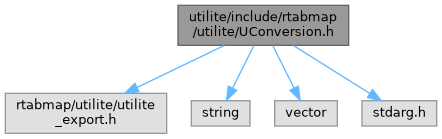

Go to the source code of this file.
Functions | |
| std::string UTILITE_EXPORT | uReplaceChar (const std::string &str, char before, char after) |
| std::string UTILITE_EXPORT | uReplaceChar (const std::string &str, char before, const std::string &after) |
| std::string UTILITE_EXPORT | uToUpperCase (const std::string &str) |
| std::string UTILITE_EXPORT | uToLowerCase (const std::string &str) |
| std::string UTILITE_EXPORT | uNumber2Str (unsigned int number) |
| std::string UTILITE_EXPORT | uNumber2Str (int number) |
| std::string UTILITE_EXPORT | uNumber2Str (float number, int precision=6, bool fixed=false) |
| std::string UTILITE_EXPORT | uNumber2Str (double number, int precision=6, bool fixed=false) |
| int UTILITE_EXPORT | uStr2Int (const std::string &str) |
| float UTILITE_EXPORT | uStr2Float (const std::string &str) |
| double UTILITE_EXPORT | uStr2Double (const std::string &str) |
| std::string UTILITE_EXPORT | uBool2Str (bool boolean) |
| bool UTILITE_EXPORT | uStr2Bool (const char *str) |
| bool UTILITE_EXPORT | uStr2Bool (const std::string &str) |
| std::vector< unsigned char > UTILITE_EXPORT | uStr2Bytes (const std::string &str) |
| std::string UTILITE_EXPORT | uBytes2Str (const std::vector< unsigned char > &bytes) |
| std::string UTILITE_EXPORT | uBytes2Hex (const char *bytes, unsigned int bytesLen) |
| std::vector< char > UTILITE_EXPORT | uHex2Bytes (const std::string &hex) |
| std::vector< char > UTILITE_EXPORT | uHex2Bytes (const char *hex, int hexLen) |
| std::string UTILITE_EXPORT | uHex2Str (const std::string &hex) |
| unsigned char UTILITE_EXPORT | uHex2Ascii (const unsigned char &c, bool rightPart) |
| unsigned char UTILITE_EXPORT | uAscii2Hex (const unsigned char &c) |
| std::string UTILITE_EXPORT | uFormatv (const char *fmt, va_list ap) |
| std::string UTILITE_EXPORT | uFormat (const char *fmt,...) |
Detailed Description
Some conversion functions.
This contains functions to do some convenient conversion like uNumber2str(), uBytes2Hex() or uHex2Bytes().
Definition in file UConversion.h.
Function Documentation
◆ uReplaceChar() [1/2]
| std::string UTILITE_EXPORT uReplaceChar | ( | const std::string & | str, |
| char | before, | ||
| char | after | ||
| ) |
Replace old characters in a string to new ones. Example :
- Parameters
-
str the string before the character to be replaced by the new one after the new character replacing the old one
- Returns
- the modified string
◆ uReplaceChar() [2/2]
| std::string UTILITE_EXPORT uReplaceChar | ( | const std::string & | str, |
| char | before, | ||
| const std::string & | after | ||
| ) |
Replace old characters in a string with the specified string. Example :
- Parameters
-
str the string before the character to be replaced by the new one after the new string replacing the old character
- Returns
- the modified string
◆ uToUpperCase()
| std::string UTILITE_EXPORT uToUpperCase | ( | const std::string & | str | ) |
Transform characters from a string to upper case. Example :
- Parameters
-
str the string
- Returns
- the modified string
◆ uToLowerCase()
| std::string UTILITE_EXPORT uToLowerCase | ( | const std::string & | str | ) |
Transform characters from a string to lower case. Example :
- Parameters
-
str the string
- Returns
- the modified string
◆ uNumber2Str() [1/4]
| std::string UTILITE_EXPORT uNumber2Str | ( | unsigned int | number | ) |
Convert an unsigned integer to a string.
This function converts an unsigned integer value to its string representation. The conversion uses standard decimal notation.
Example:
- Parameters
-
number the unsigned integer number to convert to a string
- Returns
- the string representation of the number
◆ uNumber2Str() [2/4]
| std::string UTILITE_EXPORT uNumber2Str | ( | int | number | ) |
Convert a signed integer to a string.
This function converts a signed integer value to its string representation. Negative numbers will include a minus sign prefix.
Example:
- Parameters
-
number the integer number to convert to a string
- Returns
- the string representation of the number (includes minus sign for negative values)
◆ uNumber2Str() [3/4]
| std::string UTILITE_EXPORT uNumber2Str | ( | float | number, |
| int | precision = 6, |
||
| bool | fixed = false |
||
| ) |
Convert a float to a string.
This function converts a floating-point value to its string representation with configurable precision and format.
Example:
- Parameters
-
number the float number to convert to a string precision the number of decimal places to display (default: 6) fixed if true, use fixed decimal notation; if false, use scientific notation when appropriate (default: false)
- Returns
- the string representation of the number
◆ uNumber2Str() [4/4]
| std::string UTILITE_EXPORT uNumber2Str | ( | double | number, |
| int | precision = 6, |
||
| bool | fixed = false |
||
| ) |
Convert a double to a string.
This function converts a double-precision floating-point value to its string representation with configurable precision and format.
Example:
- Parameters
-
number the double number to convert to a string precision the number of decimal places to display (default: 6) fixed if true, use fixed decimal notation; if false, use scientific notation when appropriate (default: false)
- Returns
- the string representation of the number
◆ uStr2Int()
| int UTILITE_EXPORT uStr2Int | ( | const std::string & | str | ) |
Convert a string to an integer.
- Parameters
-
the string
- Returns
- the number
◆ uStr2Float()
| float UTILITE_EXPORT uStr2Float | ( | const std::string & | str | ) |
Convert a string to a float independent of the locale (comma/dot).
- Parameters
-
the string
- Returns
- the number
◆ uStr2Double()
| double UTILITE_EXPORT uStr2Double | ( | const std::string & | str | ) |
Convert a string to a double independent of the locale (comma/dot).
- Parameters
-
the string
- Returns
- the number
◆ uBool2Str()
| std::string UTILITE_EXPORT uBool2Str | ( | bool | boolean | ) |
Convert a bool to a string. The format used is "true" and "false".
- Parameters
-
boolean the boolean to convert in a string
- Returns
- the string
◆ uStr2Bool()
| bool UTILITE_EXPORT uStr2Bool | ( | const char * | str | ) |
Convert a string to a boolean. The format used is : "false", "FALSE" or "0" give false. All others give true.
- Parameters
-
str the string to convert in a boolean
- Returns
- the boolean
◆ uStr2Bytes()
| std::vector< unsigned char > UTILITE_EXPORT uStr2Bytes | ( | const std::string & | str | ) |
Convert a string to an array of bytes including the null character ('\0').
- Parameters
-
str the string
- Returns
- the array of bytes
◆ uBytes2Str()
| std::string UTILITE_EXPORT uBytes2Str | ( | const std::vector< unsigned char > & | bytes | ) |
Convert an array of bytes to string, the array of bytes must end with the null character ('\0').
- Parameters
-
bytes the array of bytes
- Returns
- the string
◆ uBytes2Hex()
| std::string UTILITE_EXPORT uBytes2Hex | ( | const char * | bytes, |
| unsigned int | bytesLen | ||
| ) |
Convert a bytes array to an hexadecimal string. The resulting string is twice the size of the bytes array. The hexadecimal Characters are in upper case. Example :
- Parameters
-
bytes the bytes array bytesLen the length of the bytes array
- Returns
- the hexadecimal string
◆ uHex2Bytes() [1/2]
| std::vector< char > UTILITE_EXPORT uHex2Bytes | ( | const std::string & | hex | ) |
Convert an hexadecimal string to a bytes array. The string must be pair length. The hexadecimal Characters can be in upper or lower case. Example :
- Parameters
-
hex the hexadecimal string
- Returns
- the bytes array
◆ uHex2Bytes() [2/2]
| std::vector< char > UTILITE_EXPORT uHex2Bytes | ( | const char * | hex, |
| int | hexLen | ||
| ) |
Convert an hexadecimal string to a bytes array. The string must be pair length. The hexadecimal Characters can be in upper or lower case. Example :
- Parameters
-
hex the hexadecimal string bytesLen the hexadecimal string length
- Returns
- the bytes array
◆ uHex2Str()
| std::string UTILITE_EXPORT uHex2Str | ( | const std::string & | hex | ) |
Convert an hexadecimal string to an ascii string. A convenient way when using only strings. The hexadecimal str MUST not contains any null values 0x00 ("00"). Think to use of hex2bytes() to handle 0x00 values. Characters can be in upper or lower case. Example :
- See also
- hex2bytes
- Parameters
-
hex the hexadecimal string
- Returns
- the ascii string
◆ uHex2Ascii()
| unsigned char UTILITE_EXPORT uHex2Ascii | ( | const unsigned char & | c, |
| bool | rightPart | ||
| ) |
Convert hexadecimal (left or right part) value to an ascii character. Example :
- See also
- ascii2hex
- Parameters
-
c the hexadecimal value rightPart If we want the character corresponding to the right of left part (4 bits) of the byte value.
- Returns
- the ascii character (in upper case)
◆ uAscii2Hex()
| unsigned char UTILITE_EXPORT uAscii2Hex | ( | const unsigned char & | c | ) |
Convert an ascii character to an hexadecimal value (right 4 bits). Characters can be in upper or lower case. Example :
- See also
- hex2ascii
- Parameters
-
c the ascii character
- Returns
- the hexadecimal value
◆ uFormatv()
| std::string UTILITE_EXPORT uFormatv | ( | const char * | fmt, |
| va_list | ap | ||
| ) |
Format a string like printf, and return it as a std::string
◆ uFormat()
| std::string UTILITE_EXPORT uFormat | ( | const char * | fmt, |
| ... | |||
| ) |
Format a string like printf, and return it as a std::string